Introducing the new HaverView
One platform for data visualization, analysis, and collaboration.
Interactive charting, custom datasets, seamless Excel integration, shared research libraries, custom functions, and a polished UI — all in one flexible workspace.
The animation behind this page is one family of twenty-two illustrative series. It is not live data and not a screenshot of the product.
01 · Charting
Customize everything.
Compromise nothing.
Create publication-ready charts with complete control over colors, scaling, and chart types. Resize your workspace, switch between responsive canvas and fixed aspect ratio modes, and navigate data with enhanced multi-series selection and PowerSearch.
- Fully interactive charting
- Publication mode + responsive canvas
- Enhanced navigation and multi-series selection
- Precision resizing for chart-focused workflows
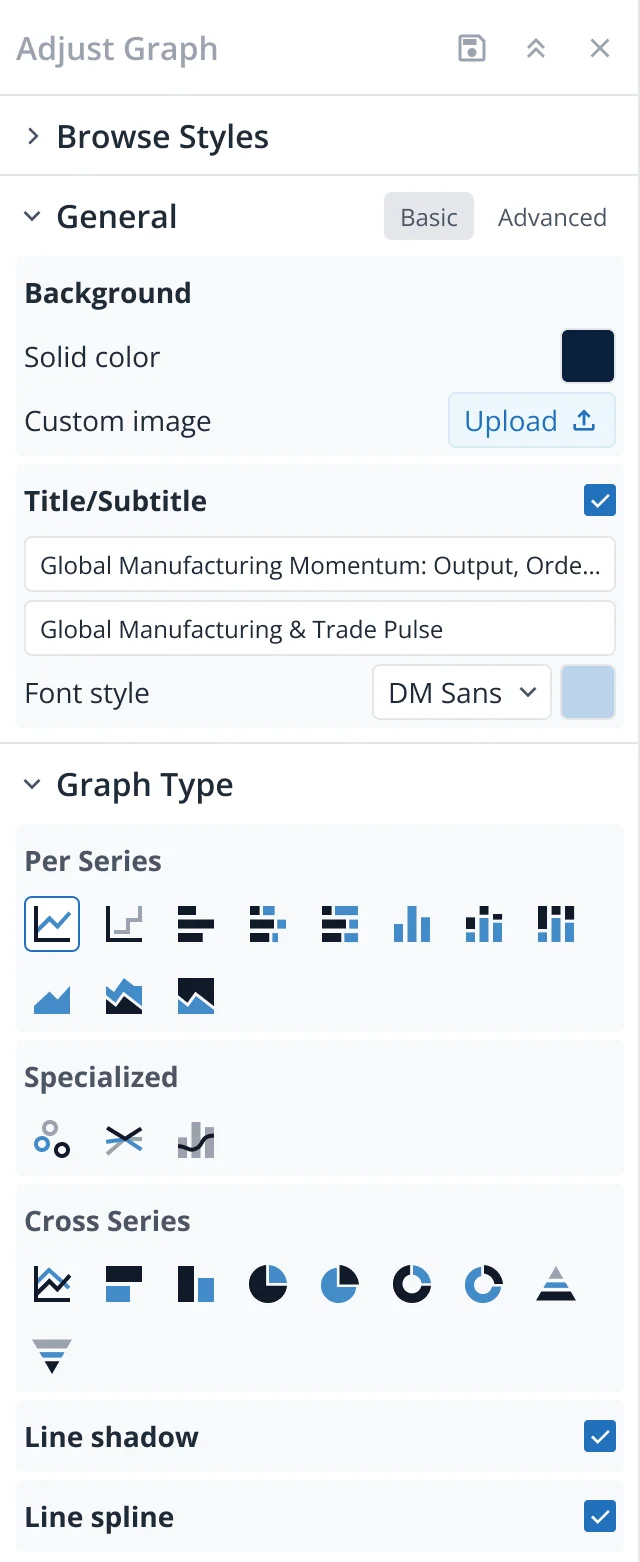
PowerSearch multi-series selection
The family opens into a fan of twenty-two series; three are picked out of the field.
02 · Datasets & Excel integration
Excel's new
best friend.
Build datasets with up to 1,000 series — including wildcard support — and move them directly into Excel using the intuitive add-in. Refresh data instantly without re-exporting, and transfer charts into Word and PowerPoint with ease.
- Up to 1,000-series datasets
- Excel add-in with direct dataset access
- One-time transfer with auto-refresh
- CSV and JSON export
- Chart transfer to Word & PowerPoint
Export xlsx · csv · json
Each series straightens into a row of cells; a block of columns lifts out of the sheet.
03 · Research library
The library your whole team can build on.
The built-in research library gives you a file and folder structure for everything you create. Access your assets anywhere, and share instantly with your team by placing items into the My Organization folder.
- Built-in folder system with full versioning control
- Save charts, datasets, formulas, dashboards
- Access anywhere, on any machine
- Organization-wide sharing
- True collaborative workflow
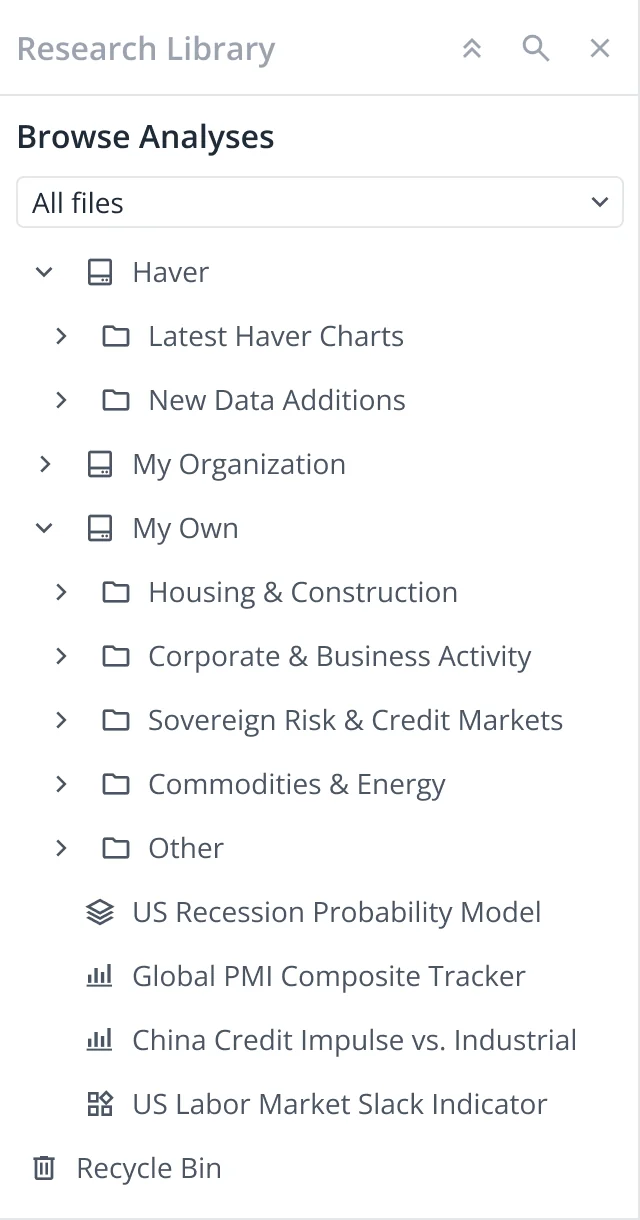
SAVE.WORKSPACE organization folder
The cells gather into three folders; one crosses the boundary into the organization folder.
04 · Functions & formulas
Blocks, wires,
magic.
Create personal UDFs, build formulas visually with drag-and-drop blocks, and write full econometric scripts using HQL. Save and share formulas across your team for consistent analytical workflows.
- User-Defined Functions (UDFs)
- Visual Formula Editor
- Save & share formulas
- Introducing HQL — Haver’s scripting language for econometrics
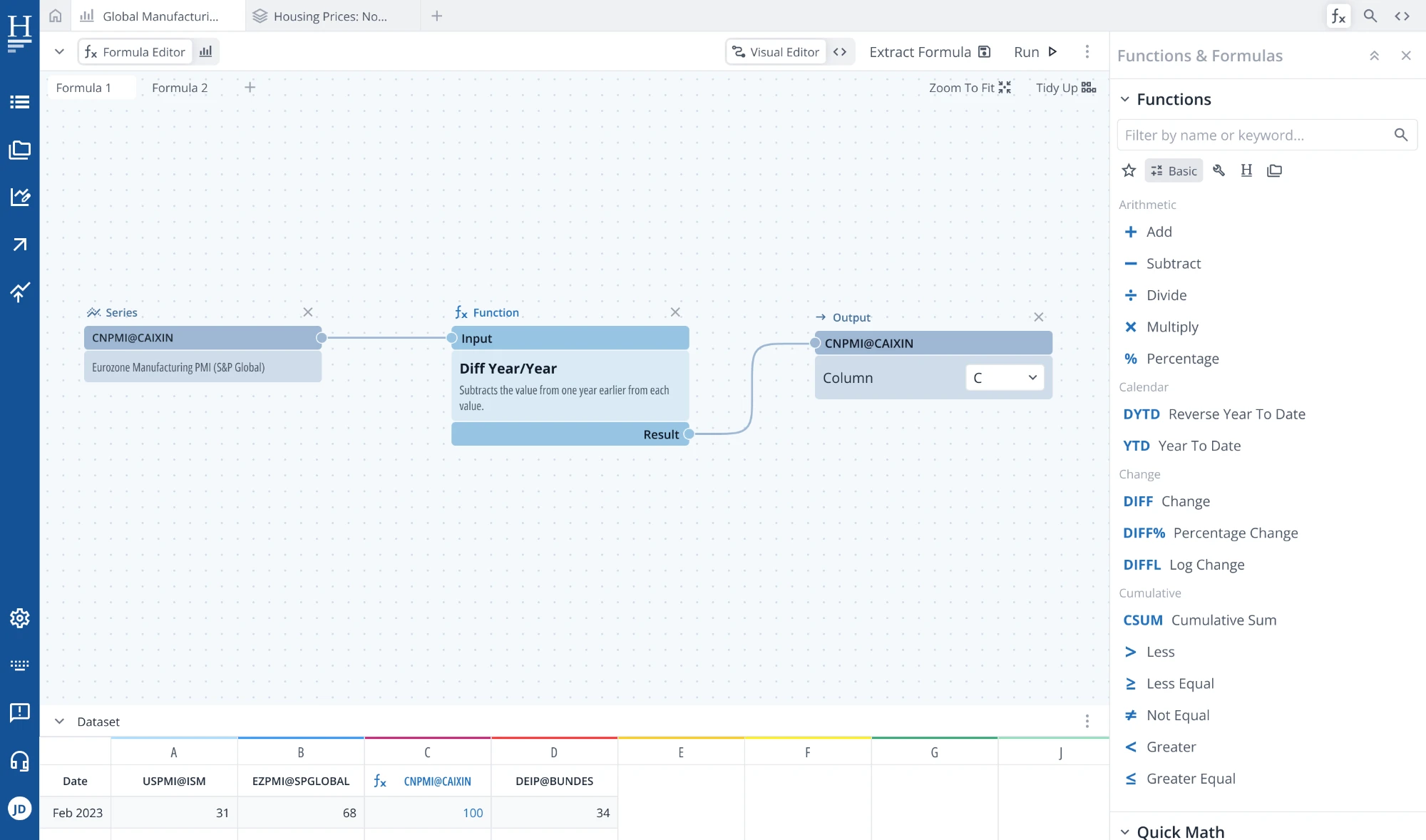
Aggregate monthly → quarterly
The folders unpack into three blocks; the series run through the wires between them as pulses.
05 · Polished look & flexibility
Looks sharp,
works smarter.
HaverView delivers a clean, professional UI with smooth interactions, improved search, and a flexible workspace that adapts to your workflow. Resize windows, adjust layouts, and enjoy a cohesive, fast, and intuitive experience.
- Polished, intuitive UI
- Smooth interactions
- Flexible, resizable workspace
- Enhanced search & navigation
- Thoughtful visual hierarchy
Workspace three columns → one
A recording of the workspace: panels, chart and dataset grid in one window.
06 · Dark mode
Let there
be dark.
A beautifully designed dark mode gives users a comfortable, focused environment — perfect for long analytical sessions or personal preference.
- Full dark mode support
- Clean, comfortable visuals
- Ideal for extended work sessions
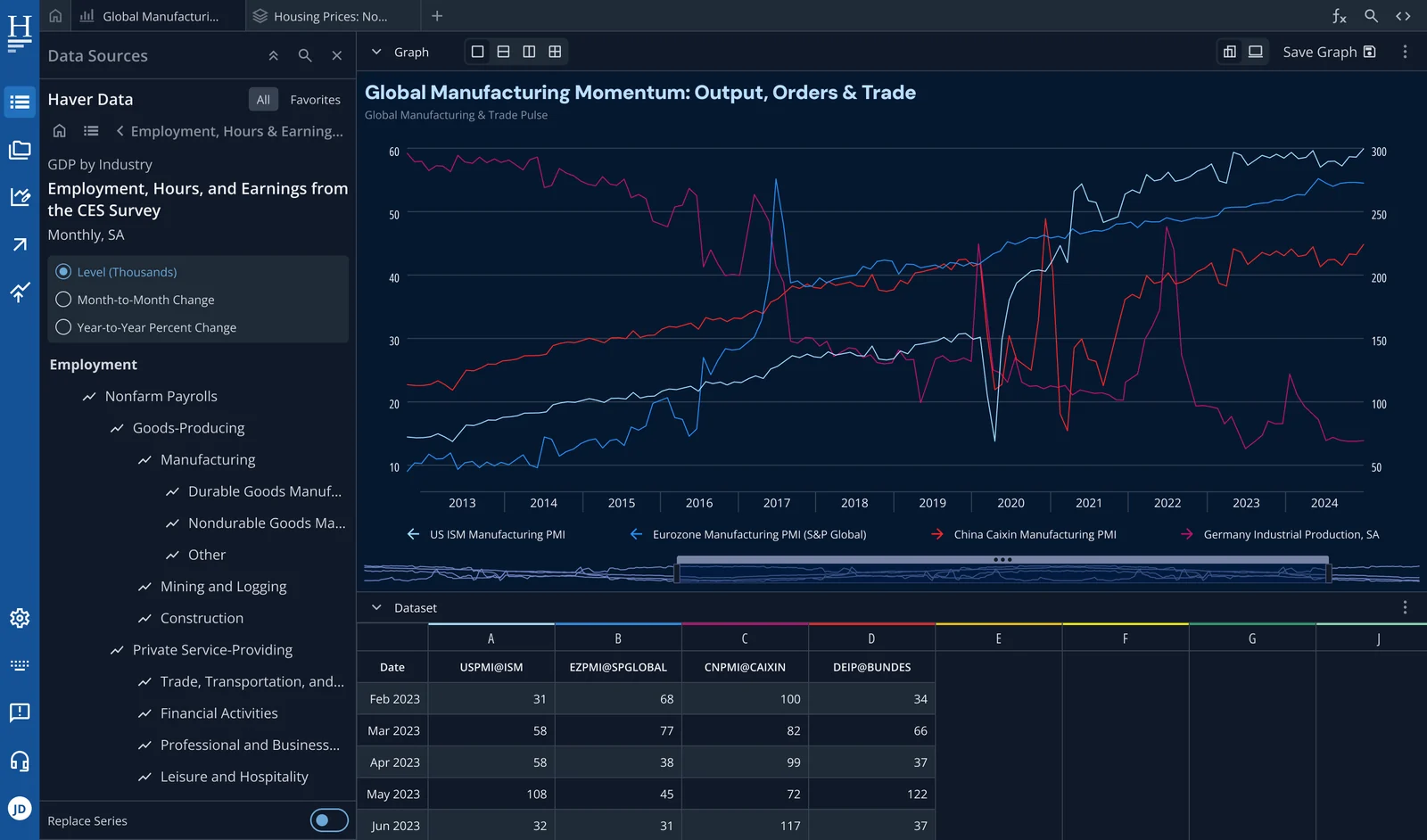
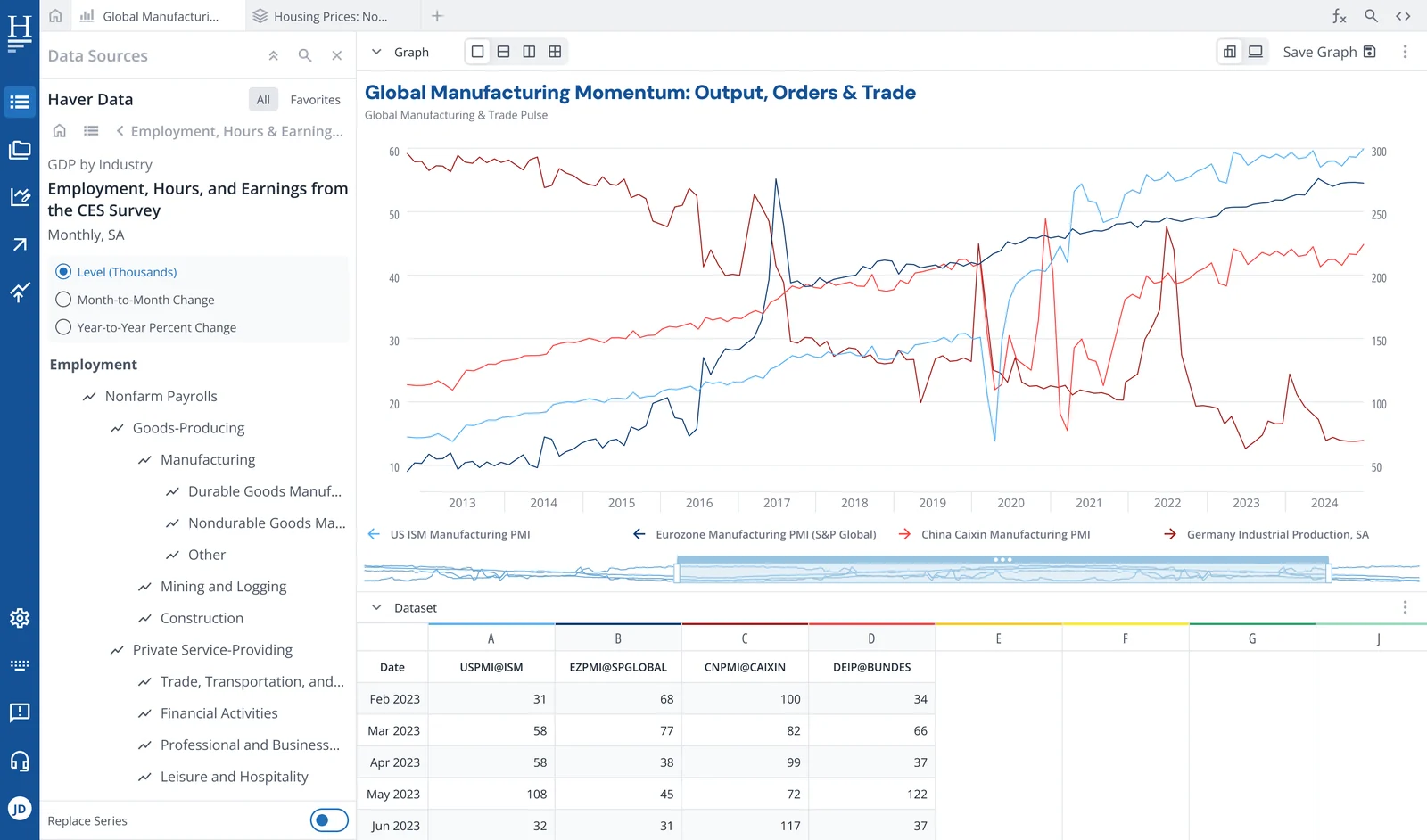
Theme dark ⇆ light
The same figure, unchanged, as the page turns light and then dark again.
07 · Custom series & enhanced sharing
Your data,
your rules.
Add custom series directly into your catalog, export charts and datasets with improved formatting, and generate direct links for easy sharing.
- Add custom series
- Enhanced export options
- Direct link sharing
- Publication-ready outputs
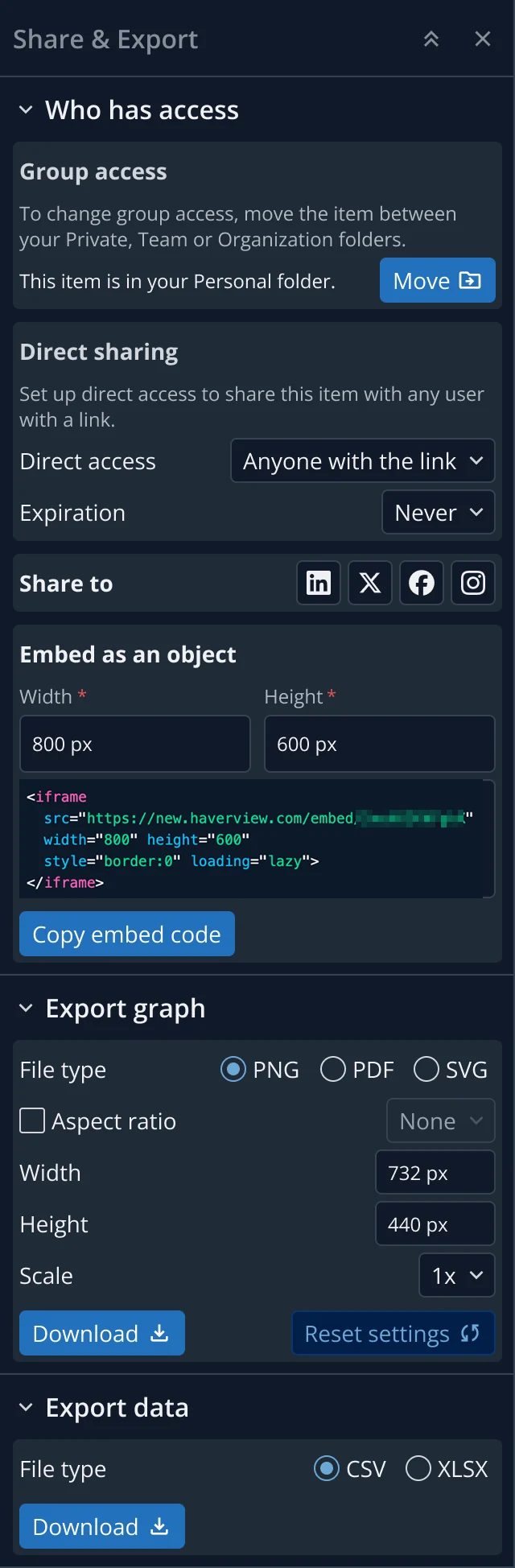
LinkShare haverview.com/g/8f2c-41ba
One new series joins the family, and the whole view repeats as a shared link opens it elsewhere.
A quick preview of the look and feel of the new HaverView.
Interactive · click the tabs and menus
One workspace for the charts, the data, and the people who argue about them.
The animation behind this section wraps the same family of series into a slowly turning globe, with data arriving from around the world and moving in both directions between Haver Analytics’ offices in New York, London, Singapore and Tokyo.